
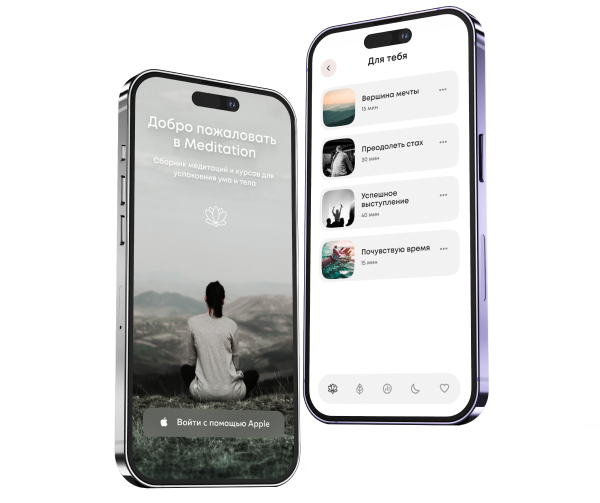
The app helps users with meditation and breathing practices. It includes integration with an electroencephalogram (EEG) device, which allows users to track their meditation progress by displaying diagrams and charts of brain activity.
Telemedicine has moved from a pandemic workaround to a normal way patients expect to access care. Clinics, hospitals, employer health programs, and digital health startups now need fast, secure, and branded channels for remote visits. Building from scratch can drain budget before the first appointment is booked. The challenge is selection: the market is crowded, the promises sound similar, and a wrong decision can lock your care model into poor UX, weak compliance, or expensive rebuilds.
What is a white label telemedicine app?
A white label telemedicine app is a ready-made digital product that a healthcare organization can launch under its own name. Instead of releasing a vendor’s public brand, you apply your logo, colors, domain, onboarding flow, and patient-facing identity. It usually includes web and mobile access, scheduling, video consultation, chat, file sharing, billing, and admin tools.
The model sits between custom development and off-the-shelf SaaS. Custom development gives maximum control but requires more product, engineering, QA, DevOps, and compliance work. Standard SaaS starts quickly, but the patient may see another company’s name, interface rules, and limitations. A telemedicine white label solution gives you a faster start while still allowing branding and selected configuration.
Typical users include a white label solution for doctors, hospitals extending specialist access, startups launching a new care model, and employers offering corporate health programs. A white label telehealth app can also support mental health, primary care, chronic follow-ups, dermatology triage, physiotherapy, and urgent care if configured correctly.
Why choose white label for telemedicine?
For many teams, the main reason to choose white label telemedicine is time-to-market. A branded telemedicine product can often be launched in 2–4 months. A fully custom platform may take 9–18 months or longer: it all depends on scope, integrations, audits, and regulatory requirements.
A strong telemedicine white label solution may already include HIPAA-oriented safeguards, GDPR-ready data handling options, access control, audit logs, encryption, and secure hosting patterns. Still, compliance is not automatic. In the U.S., covered entities must use telehealth technology vendors that follow HIPAA Rules and sign business associate agreements. In the EU, health data is treated as special category data under GDPR Article 9.
The trade-off is dependency. You rely on the white label telemedicine vendor for understanding what features are available, the ability to integrate third-party systems like CRM, as well as for fixes, uptime, and support. Some products allow deep configuration. Other products only change the logo and login screen. Treat selection as a product, legal, and operational decision, not just a software purchase.
How to choose a white label telemedicine app: step-by-step
1. Define your use case and audience
Start with the care model, not the feature list. A large multi‑location clinic network needs provider scheduling, multi‑location support, admin roles, practice management, and medical billing. A small independent clinic (or a direct‑to‑patient clinic) needs patient onboarding, acquisition funnels, payment gateway options, retention tools, notifications, and patient engagement analytics. A psychiatry practice may prioritize recurring visits, private notes, and secure messaging. A physiotherapy practice may need exercise files, progress tracking, and high video quality. Primary care may require prescription management and EHR integration.
Ask the provider: What clinical specialties have you supported before? Can the app handle scheduled, on-demand, and follow-up care? Can different doctors, nurses, admins, and patients have separate permissions? Does it support audio call fallback when video quality drops? Match the app to the workflow patients and clinicians will actually use.
2. Check compliance and certifications
Before buying white label telemedicine platform access, verify the legal and compliance baseline. For U.S. operations, ask about HIPAA, business associate agreements, audit trails, PHI encryption, access controls, breach notification processes, and hosting environment. EU users must confirm GDPR roles, data processing agreement terms, consent flows, retention rules, right-to-access handling, and data residency options. In Canada’s case, PIPEDA and provincial privacy laws may matter. For enterprise buyers, ISO/IEC 27001 can be a useful signal because it defines requirements for an information security management system.
Do not accept “HIPAA compliant” as a slogan. Ask who is responsible for compliance. Is this your organization? Maybe the supplier, cloud provider? Or even all three. Request documentation, policies, penetration test summaries, incident response procedures, and a list of subprocessors. If the product includes clinical decision support, remote monitoring, diagnostic suggestions, or device connectivity, ask whether FDA clearance, CE marking, or medical device assessment may apply. FDA policy is function-specific. Some software functions can fall within device oversight.
3. Evaluate core features
A useful telemedicine app for healthcare business must cover the complete visit cycle. Patients should register, verify identity, book care, receive reminders, join a secure waiting room, and this list can go on and on. Providers need calendar management, visit history, electronic health records access, clinical notes, prescription management, and reporting. Admin teams need role management, provider availability, billing, refunds, patient support, and analytics.
Check whether video is based on stable WebRTC infrastructure, whether chat supports attachments such as images, lab reports, and PDFs, and whether notifications work across email, SMS, and push. Ask how the app handles low bandwidth, session reconnection, latency, recording, and consent. In medical workflows, small failures create major frustration: a broken reminder means a no-show; a poor upload flow delays diagnosis; a missing billing event leaks revenue.
4. Assess customization and branding
A real white label telemedicine app selection should test how far customization goes. Can you change logo, colors, typography, domain, email templates, app store listings, onboarding screens, provider profiles, language, and consent text? Can the patient portal reflect your service lines? Can you configure different flows for urgent care, scheduled care, subscription plans, and employer-sponsored access?
“Branded” can hide big limitations. Some products offer only cosmetic changes, while the underlying user journey still feels generic. A customizable, configurable, and scalable telemedicine platform should also allow business-rule configuration: appointment duration, cancellation rules, payment logic, insurance capture, provider routing, waiting room behavior, and admin roles. Ask whether branding changes require support tickets or can be managed through an admin panel. Also confirm whether mobile releases are under your developer accounts or the supplier’s accounts.
5. Review integration capabilities
Healthcare rarely works in isolation. Your telemedicine platform may need integration with EHR/EMR systems such as Epic or Oracle Health Cerner. You will need practice management software, labs, pharmacies, payment gateway providers, CRM tools, identity verification services, and medical billing systems. Ask for API documentation, Webhooks, SDKs, sandbox access, rate limits, authentication methods, and examples.
FHIR and HL7 support matter because healthcare data needs a structured way to move between systems. HL7 publishes FHIR as a standard for healthcare data exchange. It is widely used for modern interoperability projects. Ask if the product supports FHIR resources for patients, appointments, encounters, observations, medications, and documents. For imaging-heavy specialties, ask about DICOM. Clarify who pays for third-party integration work, interface maintenance, and future upgrades when an external system changes its API. This is needed for enterprise projects.
6. Analyze pricing model
Pricing can change the total cost more than the headline license. Common models include SaaS subscription per provider, per patient, per location, or per visit; one-time license plus support; usage-based fees for video minutes, SMS, storage, or payment processing; and revenue share. Some providers charge separately for branding, mobile apps, custom reports, data migration, EHR integration, premium support, or extra environments.
Ask for a three-year cost scenario based on realistic growth, including onboarding, configuration, security review, hosting, support, maintenance, and feature requests. The cheapest app may become expensive if every change is a paid ticket. A pricier platform may be efficient if it prevents churn, reduces admin work, and scales. Make pricing part of your selection scorecard, not the only deciding factor.
7. Check scalability and reliability
Telemedicine fails when patients cannot enter the visit when they need care. Ask about uptime targets, service-level agreements, disaster recovery, backups, etc. A mature platform should explain how it handles peak appointment hours, group practices, multi-location operations, and sudden spikes from seasonal demand.
Scalability is not only server capacity. It also means scalable infrastructure, configurable roles, multi-language content, accessibility, and reliable reporting as your operation grows. You should ask if the application supports cloud and on-premise deployment, single sign-on, multi-factor authentication, and regional hosting. For accessibility, ask about WCAG alignment, captions, keyboard navigation, contrast, and screen reader support.
8. Request a demo and trial
Do not watch only the sales demo. Test real scenarios for the patient, doctor, and administrator. Create a patient account, book a visit, upload a file, join a waiting room, switch to an audio call, complete payment, receive a notification, and review the visit summary. Then test the provider side: availability, notes, file review, prescription flow, and EHR lookup. Finally, test admin roles, refunds, analytics, reporting, and support tickets.
During the demo, ask the white label telemedicine vendor to show the slowest and most complex workflows, not just the polished path. Measure how many clicks it takes to complete the most frequent tasks. Ask for a trial environment, references, implementation plan, migration plan, support SLA, release schedule, and exit plan. A mature partner will not resist detailed due diligence.
Non-negotiable features to look for
Video consultations. HD video is the foundation of telemedicine, but stability matters more than resolution. The app should support WebRTC, reconnection, consent for recording where allowed, and smooth transitions to chat or audio call when bandwidth is weak.
Secure messaging and file exchange. Patients often need to share photos, lab results, insurance documents, or PDFs before and after the visit. Secure chat, file sharing, retention settings, and access logs protect clinical continuity and security.
Appointment scheduling. Good appointment scheduling reduces no-shows and admin calls. It should sync with provider calendars, support reminders, handle cancellations, and show accurate availability across locations and specialties.
Electronic prescriptions. E-prescribing can save time and improve convenience, but it must match local regulations and pharmacy networks. Confirm prescription management, drug database support, renewal flows, and controlled-substance limitations.
Payment processing. The platform should support copay, card payments, subscription plans, invoices, refunds, and insurance-related workflows. Transparent payment gateway fees help protect margins.
Patient portal. A patient portal gives users access to visit history, results, prescriptions, care plans, messages, and documents. It improves continuity, patient engagement, and retention.
Multi-provider and multi-location support. Growing organizations need provider directories, specialties, locations, permissions, routing, and reporting by branch or business unit.
Waiting room management. A virtual waiting room lets staff manage queues, delay notices, intake status, and notifications. It creates a calmer experience.
Analytics dashboard. Utilization, conversion, no-show rate, patient satisfaction, average wait time, visit duration, provider load, churn, and ROI reporting help leaders improve the service after launch.
Mobile apps with offline mode. iOS and Android access are essential for patient convenience. Offline mode may be limited in healthcare, but the app should at least handle drafts, failed uploads, poor connectivity, and session recovery gracefully.
Red flags to watch for
The first red flag is weak documentation. If a provider cannot provide HIPAA, GDPR, security, hosting, and data processing materials, do not rely on verbal promises. The second red flag is unclear ownership: know who owns the patient data, configurations, branding assets, and any custom code. Third, beware of hidden support charges, long response times, and vague SLAs. Fourth, check data portability. If you cannot export patient records, visit history, files, messages, and billing data in usable formats, switching later will be painful.
Other warning signs include no source code access or escrow option when a license model requires it, no sandbox, no API documentation, no roadmap transparency, and no references from similar healthcare clients. A weak security posture, missing multi-factor authentication, poor audit logs, or no disaster recovery plan should stop the process.
Established White-Label Telehealth Vendors Compared
When you choose a model, compare it against your business stage. White label works best when you need a branded launch quickly, allowing you to enter the market in months rather than a year. It gives you a finished product with your own identity, so you can start building customer trust immediately without the delay of building from scratch.
| Vendor (Founded) | Pricing Model & Key Terms (Actual Figures) | Depth of Customization |
| Teladoc Health(2002) | Model: Enterprise / CustomFor your own doctors: ~Per-member subscription (PMPM): Typically from $1.29Hidden costs: Integrations, premium support, onboarding – paid separately. | Full‑cycle:• Branding: Yes (UI, colors, logo)• Custom workflows: Limited (out‑of‑the‑box scenarios)• Integrations: EHR, billing, pharmacies via API• Mobile apps: White‑label versions available• Provider & admin portals: Yes |
| Amwell(2006) | Model: Enterprise / SubscriptionLight plan: From ~$45 per user/monthStandard: Custom pricing onlyHidden costs: Setup, customization, SLA packages, EHR integration – quoted on request. | Deep:• Branding: Full white‑label and SDK• Custom workflows: Configurable to payer benefits and clinic processes• Integrations: EHR, schedulers, payments via API & SDK• Mobile apps: Can be embedded as an SDK in your own app• Provider & admin portals: Yes |
| VSee Health(2008) | Model: Subscription / Per Provider / CustomFree planPremium: $49/month/providerEnterprise (White‑Label): CustomHidden costs: EPCS, billing, advanced integrations – add‑ons. | Maximally flexible (Low‑Code):• Branding: Yes (logo, colors, subdomain, mobile apps)• Custom workflows: 250+ configurable touchpoints without code• Integrations: EHR, RPM, devices (Fitbit, etc.)• Mobile apps: White‑label, branded within a week• Provider & admin portals: Yes, with queue & calendar management |
| QuickBlox(2009 / 2011) | Model: Setup + Monthly / CustomSetup (license): $10,000 – $10,000–$30,000 one‑timeMonthly fee: $500 – $500–$5,000+Annual cost: $10,000 – $10,000– $100,000+Hidden costs: EHR/RPM integrations: $20k – $20k–$100k+. Custom development: $150 – $150k–$500k+ | Component‑based (SDK/API‑first):• Branding: Yes (video, chat, UI components)• Custom workflows: Built from API blocks and UI kits• Integrations: Maximum flexibility via SDK/API• Mobile apps: Open source code (fully customizable)• Provider & admin portals: Yes, via custom builds |
Conclusion
There is no universal best choice. The right model depends on business model, workflow, budget, timeline, and risk tolerance. A white label telehealth app is usually the strongest telehealth platform option when you need to launch quickly, keep your brand visible, and avoid building core telemedicine infrastructure from scratch. Custom development is better when the product itself is your differentiator, the workflow is unusual, or you need full control over architecture and roadmap. Basic telehealth SaaS is useful when you only need to test demand.
Before signing, score every option against compliance, UX, features, integrations, pricing, support, scalability, portability, and roadmap fit. To evaluate, adapt, and launch a branded product, explore white label telemedicine software development and request a consultation before committing.
FAQ
What is the difference between white label and private label telemedicine?
The terms are often used interchangeably, but there is a practical distinction. A white label model usually means a ready app that multiple clients can brand and configure. Private label can imply a more exclusive version, deeper customization, or a product packaged for one client’s channel. In both cases, confirm branding, domain, mobile ownership, feature changes, data control, source code rights, and support.
How much does a white label telemedicine app cost?
Cost depends on users, features, integrations, compliance needs, hosting, and support. A small clinic may pay a SaaS subscription plus setup and branding fees. A larger network may need a license, custom integrations, security review, migration, dedicated support, and extra environments. Budget for scale: video minutes, SMS, storage, payment gateway fees, EHR integration, and custom development can change the total cost.
How long does it take to launch a white label telemedicine app?
A straightforward launch can take 2–4 months if the product already has the right features and your team moves quickly on branding, legal review, configuration, content, and training. More complex projects take longer with EHR/EMR integration, multi-country GDPR requirements, custom clinical workflows, mobile store review, data migration, or enterprise security approval.
Is white label telemedicine HIPAA compliant by default?
No. A provider may supply HIPAA-ready technology, but HIPAA compliance depends on contracts, business associate agreement, access controls, staff training, policies, breach response, hosting, audit logs, and PHI handling. Ask for documentation and legal review. The same logic applies to GDPR: software can support compliant workflows, but your organization still needs a lawful basis, data processing controls, and privacy procedures.
Can I switch vendors after launching my white label app?
Yes, but difficulty depends on your contract and data architecture. Before launch, define data export formats, migration support, notice periods, termination fees, source code or escrow options, and rights to branding assets. Confirm you can export patient profiles, visit records, messages, files, prescriptions, payments, audit logs, and analytics. Lock-in is easier to prevent than to fix later.
Do I need my own development team to maintain a white label solution?
Not always. Many providers can manage hosting, updates, maintenance, support, and basic configuration. However, you still need product ownership inside your organization: someone must define workflows, approve releases, coordinate clinicians, review compliance, and manage user feedback. If you plan advanced integrations, custom features, or data analytics, an internal or outsourced technical team will help you move faster.
Can white label telemedicine apps integrate with my existing EHR/EMR?
Many can, but you should verify the exact level of integration. Simple integrations may sync appointments or patient demographics. Deeper EHR integration can involve encounters, notes, medications, documents, billing codes, lab results, or FHIR-based data exchange. Ask for API documentation, sandbox access, previous examples with your EHR/EMR, implementation estimates, and maintenance responsibilities.
What support should I expect from a white label vendor?
Expect onboarding, configuration help, training materials, technical support, bug fixing, release notes, uptime monitoring, incident communication, security updates, and a clear escalation path. For clinical operations, ask whether the implementation partner supports admin workflows, provider training, patient support scripts, data migration, and analytics setup. Support quality is part of the product: if response times are slow before the sale, they may be worse after launch.